GGBet  Mobile App

GGBet  Mobile App

GGBet App Download

for Android (APK) and iOS

Download GGBet for Android Register at GGBet

18+ | Terms and Conditions

GGBet Mobile app

GGbet Mobile App 2026 – Full Guide for Android & iOS

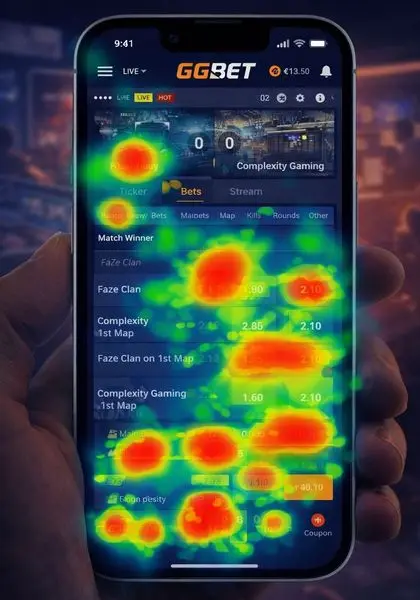
The GGBet mobile app is built with esports fans in mind, delivering fast odds, clean layouts and specialized markets for CS2, Dota 2 and League of Legends. At the same time, it includes a strong sportsbook and casino section, making it a complete mobile solution for betting enthusiasts who love fast, action-driven interfaces.

What Is the GGbet Mobile App?

GGbet mobile guideThe GGbet mobile app is a dedicated application that mirrors almost all features of the desktop site in a compact and touch-friendly interface. It allows you to:

  • register and verify your account directly from your phone;
  • deposit and withdraw funds using popular payment methods;
  • place pre-match and live bets on sports and esports;
  • play online casino and live dealer games;
  • access live streams, statistics and match trackers;
  • activate bonuses and promo codes on the go.

If you are not familiar with GGbet as a brand yet, you can also check the full GGbet review, where the bookmaker, odds, markets and overall reputation are analysed in detail.

Key Facts About the GGbet App

Feature GGbet Mobile App
Platforms Android & iOS (where legally available)
Main Focus Esports betting + sports + casino
Registration Fully available in-app (email / phone / social sign-up)
Deposits & Withdrawals Bank cards, e-wallets, local methods (depending on country)
Live Betting & Streaming Yes, with match trackers and some video streams
Casino & Live Casino Slots, table games, live dealers directly in the app
App vs Browser Faster navigation, better notifications, smoother multi-bet placement

How to Download GGbet App on Android

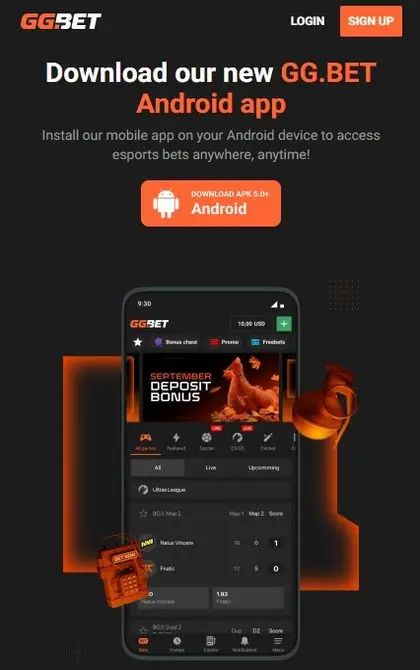
There are usually two ways to get the GGbet app on an Android device: via Google Play (where allowed by local regulations) or by downloading the APK file directly from the official GGbet website. The exact method depends on your region.

Download from Google Play (Where Available)

GGbet download mobile app for androidIn some countries where betting apps are allowed in the Google Play Store, you can install GGbet just like any other standard application:

  1. Open the Google Play Store on your Android device.
  2. Type “GGbet” in the search bar.
  3. Make sure the publisher is the official GGbet brand and not a clone.
  4. Tap Install and wait for the app to download.
  5. Once installed, open the app and log in or create a new account.

If you do not see the official GGbet app in Google Play, it usually means that you should use the APK version from the website.

Download GGbet APK from the Official Site

In many regions GGbet offers an APK file directly on its website. This is the recommended method when the app is not present in the local Google Play Store.

  1. Open the official GGbet website from your mobile browser.
  2. Scroll to the bottom of the homepage or open the menu and look for a section like “Mobile App” or “Download for Android”.
  3. Tap the Android / APK download button.
  4. If your browser asks for permission to download from this source, confirm the action.
  5. Wait until the GGbet.apk file is fully downloaded to your device.

Once the APK file is on your phone, you will need to install it manually. The process is explained in detail in the next section.

How to Download GGbet App on iOS (iPhone & iPad)

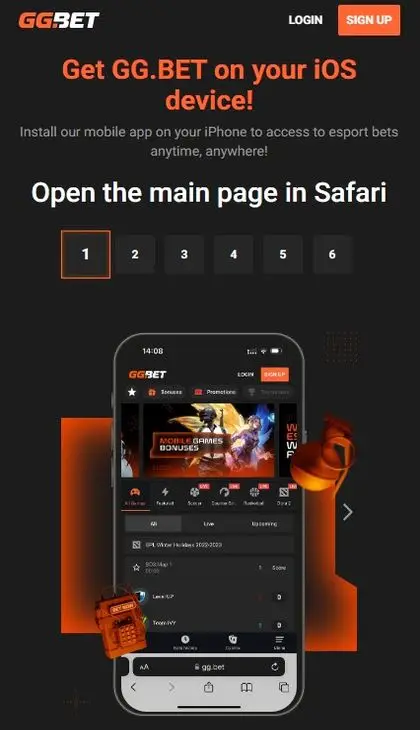
GGbet download mobile apk file for iosFor iOS users, the GGbet app is usually accessed through the Apple App Store in supported jurisdictions. Here is a typical installation process:

  1. Open the App Store on your iPhone or iPad.
  2. Search for “GGbet”.
  3. Locate the official app and tap Get or the cloud download icon.
  4. Authenticate with Face ID, Touch ID or your Apple ID password.
  5. Wait for the installation to complete, then tap Open.

In some cases, you might need to change your App Store region or install the app as a web-based shortcut if native betting apps are restricted in your country. GGbet usually provides guidance on the official website when there are geo-restrictions.

How to Install the GGbet APK File (Step-by-Step)

If you downloaded the Android APK, you need to allow installations from unknown or external sources. The menus can vary slightly depending on your Android version and device brand, but the steps are similar:

  1. Locate the downloaded GGbet.apk file in your Downloads folder.
  2. Tap on the file to start the installation.
  3. If you see a warning such as “For your security, your phone is not allowed to install unknown apps”, tap Settings.
  4. Enable the option “Allow from this source” for your browser or file manager.
  5. Go back and tap the APK again to continue the installation.
  6. Confirm with Install and wait for the process to finish.
  7. Tap Open to launch the GGbet app.

The APK version is updated regularly, so if you receive a message about a new version, always update directly through the app or by downloading the latest file from the official site.

Registration from a Mobile Phone

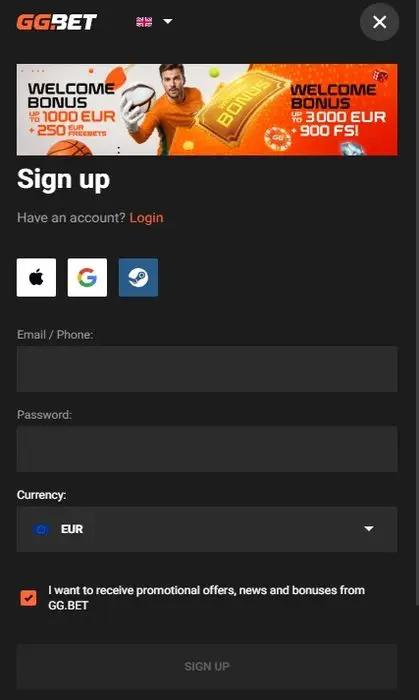
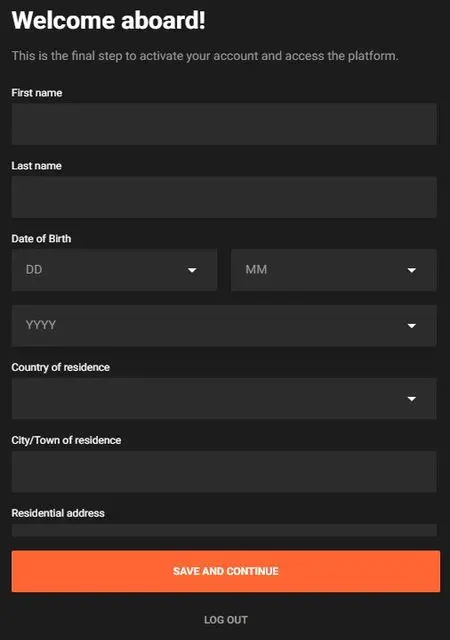
GGbet registrationYou can open a new GGbet account entirely from your mobile device. The registration flow is optimised for small screens and usually takes no more than a couple of minutes.

Step-by-Step Mobile Registration

  1. Open the GGbet app and tap the “Sign Up” or “Registration” button.
  2. Choose your preferred registration method:
    • Email registration – standard method with email + password.
    • Phone registration – sign up using your mobile number.
    • Social networks (where available) – quicker but region-dependent.
  3. Enter your basic details: name, country, preferred currency and contact information.
  4. Create a strong password and set up any security questions if requested.
  5. Accept the terms and conditions and confirm that you are of legal betting age.
  6. Submit the form and check your email or SMS for a confirmation link or code.

Ggbet registration form During registration, you may also see an optional field for a promo code. If you already have one, you can enter it here or later when making your first deposit. For a dedicated breakdown of bonuses and codes, visit the separate GGbet promo code guide.

Account Verification (KYC) via Mobile

To comply with licensing rules and prevent fraud, GGbet may ask you to verify your identity and payment methods. This process – often referred to as KYC (Know Your Customer) – can be completed directly from your phone.

How Mobile Verification Works

  1. Open the Profile or Account section in the app.
  2. Look for a tab like “Verification” or “Account Status”.
  3. Follow the instructions to upload the necessary documents:
    • Photo or scan of your ID card, passport or driver’s licence.
    • Proof of address (utility bill or bank statement) if requested.
    • Sometimes a selfie or live photo to confirm your identity.
  4. Take clear photos directly with your phone camera and submit them via the app.
  5. Wait for the verification team to review your documents. In many cases this takes from a few minutes up to 24 hours.

Once verification is complete, your withdrawal limits are usually increased and you can use all functions of the GGbet app without restrictions.

Deposits & Withdrawals in the GGbet App

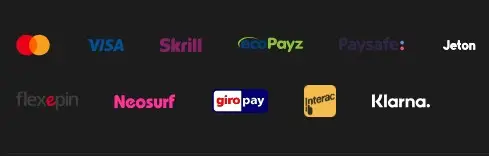
GGbet payment methods for depositThe GGbet mobile app supports the same core payment methods as the desktop version, but the interface is simplified for touch control. The exact list of available methods depends on your country and currency.

How to Deposit from a Smartphone

  1. Open the GGbet app and log in to your account.
  2. Tap the “Deposit” button, usually visible at the top of the screen.
  3. Select your preferred payment option (bank card, e-wallet, local method, sometimes crypto).
  4. Enter the deposit amount and any required details.
  5. Confirm the payment and, if needed, complete 3D Secure or mobile banking confirmation.
  6. The funds typically appear in your GGbet balance within seconds.

How to Withdraw Winnings from the App

  1. Go to the Cashier or Balance section.
  2. Tap “Withdraw”.
  3. Choose a withdrawal method that you have already used for deposits (where required by policy).
  4. Enter the amount you wish to cash out.
  5. Confirm the request and wait for processing.

Processing times vary – e-wallets are often the fastest, while bank cards and bank transfers may take longer. Verification must usually be completed before your first large withdrawal is approved.

Sports Betting in the GGbet App

Ggbet mobile sport betting bonusesAlthough GGbet is famous for esports, the app also provides a full sports betting experience. You can place singles, accumulators and system bets on football, tennis, basketball, hockey and many other sports.

  • Quick access to top leagues and live events from the home screen.
  • Filters for odds format, market types and favourite sports.
  • Detailed match pages with statistics and head-to-head data.

Creating a bet slip is straightforward: tap on the odds, review your selections, adjust the stake and confirm. The app is optimised to handle quick odds changes during live betting, which is very important for mobile users.

Esports Betting on Mobile

Esports is one of GGbet’s strongest verticals, and the mobile app reflects that. You can bet on popular titles such as CS2, Dota 2, League of Legends, Valorant and many others directly from your phone.

Typical esports features in the app include:

  • Dedicated esports section with its own navigation.
  • Pre-match and in-play markets for tournaments and daily matches.
  • Maps, handicap, total kills and many special markets tailored for each game.
  • In some cases, live streams or embedded platforms for watching the match while betting.

If esports is your main focus, the GGbet app is built exactly with this audience in mind, offering quick access, deep markets and frequent promotions.

GGbet Casino on Mobile

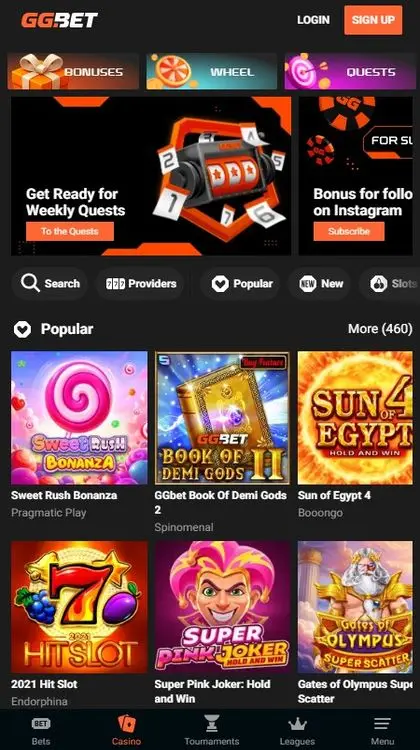
GGbet mobile casino slotsBesides betting, the GGbet app also includes a casino section. Instead of opening a separate app, you simply switch tabs within the same interface.

  • Slots: Hundreds of video slots from well-known providers.
  • Table games: Roulette, blackjack, baccarat and more.
  • Live casino: Real dealers streamed in HD with chat functionality.

Most games are optimised for vertical mode, but some look better in landscape. The app detects the orientation of your device and adjusts automatically.

Live Betting, Streaming & Cash Out

The GGbet app is particularly suitable for live betting because it allows you to react instantly to what is happening in a match, whether it is a football game or an esports map.

  • Live odds updates: odds refresh automatically without reloading the page.
  • Match trackers: animated visualisation of events when live streaming is not available.
  • Cash Out: in many markets you can close your bet early to secure a profit or reduce a loss.

Push notifications can also inform you about key events – for example, when a match from your bet slip is about to start.

User Interface, Layout & Navigation

The GGbet app uses a familiar layout with a bottom navigation bar and a top header. This makes it easy to switch between sports, esports, live events and casino.

Main Layout Elements

  • Top header: login area, balance, deposit button and search.
  • Bottom menu: quick access to Sports, Esports, Live, Casino, Profile.
  • Side menu: additional settings, language, support, terms & conditions.

The design is focused on readability – odds are clearly visible, bet buttons are large enough to avoid mis-taps, and important functions like cash out and bet history are never more than a couple of taps away.

System Requirements & Performance

The GGbet app is built to work on a wide range of devices, but older phones may require some compromises such as disabling animations or closing other background apps.

Platform Minimum Requirements (Typical) Recommended for Best Experience
Android Android 7.0+, 2 GB RAM Android 10+, 4 GB RAM or more
iOS iOS 12+, iPhone 6s or newer Latest iOS version, modern iPhone models
Internet Stable 3G connection 4G/5G or fast Wi-Fi for live betting & streams

In practical terms, if your phone can smoothly run popular social media and streaming apps, it should handle the GGbet app without major problems.

Common Issues & Troubleshooting

Like any mobile app, GGbet can occasionally run into issues. Here are some common problems and simple solutions:

  • The app does not install: Check if you have allowed installations from unknown sources (for APK) or if your storage space is sufficient.
  • The app crashes or freezes: Restart your device, close background apps or reinstall the app.
  • Live odds do not update: Test your internet connection and try switching between mobile data and Wi-Fi.
  • Unable to log in: Reset your password or use email/phone recovery options.
  • Deposit/withdrawal issues: Confirm that your payment method is supported in your country and that your account is verified.

If the problem persists, contact GGbet support directly from the app via live chat or email.

GGbet App vs Mobile Site

You can always access GGbet through a mobile browser without installing anything. However, the native app usually offers a smoother and more personalised experience.

Feature GGbet App Mobile Site
Installation Requires download & install No installation, runs in browser
Speed Usually faster with cached content Depends more on browser performance
Notifications Push notifications for offers & matches No native push notifications
User Experience Optimised buttons, gestures, faster navigation Slightly more generic layout
Device Storage Uses app storage No extra storage needed

If you bet regularly, the app is usually the better option. If you only place occasional bets or use multiple devices, the mobile site might be more convenient.

Mobile Bonuses, Promo Codes & Special Offers

The GGbet app supports the same welcome offers and regular promotions as the desktop version. In some cases, you may even find mobile-exclusive deals such as free bets for in-app deposits or enhanced odds for specific matches accessed through push notifications.

  • Activate welcome bonuses directly from the app after registration.
  • Enter promo codes in the cashier or during sign-up.
  • Opt in for tournaments, cashback and reload offers while using your phone.

For a detailed breakdown of all current bonuses, wagering conditions and examples of how promo codes work in practice, it is worth reading the dedicated GGbet bonus code page in addition to this mobile app guide.

Security, Privacy & Responsible Gambling

The GGbet app uses modern security protocols such as HTTPS encryption and secure payment gateways. Always make sure that:

  • you download the app only from the official GGbet website or official app stores;
  • you do not share your login details with other people;
  • you protect your phone with a PIN, fingerprint or face unlock;
  • you log out when using shared devices.

Responsible gambling tools such as deposit limits, session limits or self-exclusion are usually accessible from the account settings within the app. Using these tools is highly recommended if you tend to bet frequently from your phone.

Final Look: Who Should Pick the GGBet App?

The GGBet mobile app is built specifically for esports bettors who want fast markets and detailed match coverage.

The GGbet mobile app is a strong choice for players who want a focused esports betting experience combined with traditional sports and casino – all in one place. It offers:

  • easy installation on Android and iOS;
  • full registration and verification from a mobile device;
  • fast in-play betting and cash out options;
  • a rich esports section tailored for mobile users;
  • integrated casino and live dealer games.

If you want to see how the app fits into GGbet’s overall offer – odds quality, market depth, payment options and more – you can combine this guide with the main GGbet review and the specialised GGbet bonus code page. Together, they provide a complete picture for anyone thinking about using GGbet as their main mobile betting platform.

The best bookmakers

1xbet
Overview

Melbet
Info

22bet
Up to 30,000 BDT

Frequently asked questions

Is the GGbet mobile app safe to use?

Yes. The GGbet app uses encrypted connections and secure payment gateways. As long as you download it from the official website or from an official app store, and protect your phone with a PIN or biometrics, it is generally safe to use.

Do I need a separate account for the GGbet app?

No. Your GGbet account is the same on desktop, mobile site and mobile app. You can register on your phone and later log in on your computer, or the other way around – the balance and bets are shared.

Can I claim GGbet bonuses from the mobile app?

Absolutely. Welcome bonuses, reload offers, free bets and many other promotions can be activated directly in the app. In some cases, you may even receive mobile-only offers via push notifications.

Why can’t I find the GGbet app in Google Play or the App Store?

In some countries, betting apps are restricted by local rules. If you do not see the app in your store, GGbet usually provides an Android APK file on its official website and, for iOS users, alternative instructions such as region switching or web-based shortcuts.

Is the GGbet app better than using the mobile browser?

For regular players, the app is usually more convenient – it is faster, remembers your preferences and offers push notifications for matches and promotions. However, the mobile browser version remains a good option if you play infrequently or use multiple devices.

Does the GGBet app include real-time esports map stats?

Yes — CS2, Dota 2 and LoL maps have dedicated trackers.

Can I stream esports matches directly inside the app?

In many regions yes, depending on broadcast rights.