


Contents:
- Melbet Mobile App Live Streaming
- Melbet Mobile Application Test Overview
- How Melbet Mobile App Has Improved in the Last Year
- How to Download the Melbet Android App
- How to Download the Melbet iOS App
- Melbet Mobile Bonus
- Melbet Mobile App Deposits & Withdrawals
- Common Melbet App Troubleshooting Issues & How to Fix Them
- Melbet Mobile Application Overview
- Melbet App Security
Melbet Mobile App Live Streaming
Nothing is more frustrating than watching the odds drop during a match while your live stream lags. That's why we tested the Melbet live stream in real conditions.
When we tested it in the Melbet mobile app, we checked key factors, such as how much data the live stream uses while still letting you watch in HD quality. The conclusion was positive: the app is only a second or two behind the real-time feed, which is extremely helpful when you're trying to get the highest odds while seeing what is happening at the event.
| Feature | Tester's Rating | Real-World Note |
|---|---|---|
| Stream Latency | 9/10 | Minimal delay on major UEFA/NBA events during optimal network conditions. |
| UI Responsiveness | 8/10 | The side menu is snappy, but the search bar can be finicky. |
| Battery Drain | 7/10 | Keep a charger handy if you're watching full matches. |
Melbet Mobile Application Test Overview
Before showing you how to download and install the Melbet mobile app on your phone or tablet, we want to share the results we got after testing how the app works for 2 days.
| Best For | High-volume live bettors that love to place live bets while watching the game. |
| App Speed | 1.6s average launch time in 2026. |
| Crypto Support | Full integration for Bitcoin, USDT, and other major coins without hidden fees. |
| Must-Know | For more details, scroll down to the installation guide. |
How Melbet Mobile App Has Improved in the Last Year
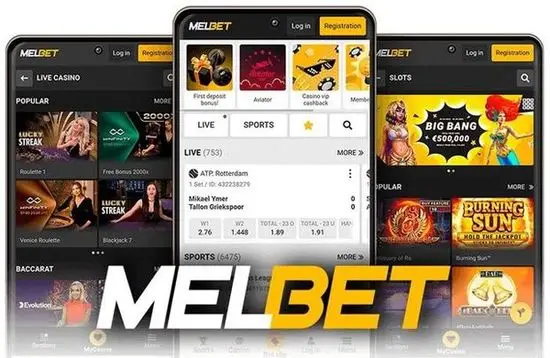
When we tested the Melbet mobile application twelve months ago, it was laggy and was not among the best gambling apps. However, things have improved drastically.
They've swapped the old heavy icons for lightweight vectors, which slashed the load time for the "Live Center" by nearly 40%. They also finally fixed the annoying bug where the bet slip would occasionally reset when switching between apps. It's a much more polished "beast" now.
Data-Saving Hack: If you're tracking a drifting price in the horse racing markets, use the "One-click bet" feature. I've missed out on too many value bets because I was wasting time typing in stakes manually.
How to Download the Melbet Android App
Don't go looking for this on the Play Store; Google is still picky about real-money gambling apps. I've seen guys get burned by downloading fake APKs from random forums. Stick to the official source.

How to Install the MelBet APK
- Open the downloaded APK file.
- Tap "Install".
- Enable "Install unknown apps" if prompted.
- Launch the app when installation completes. If you get stuck, check our detailed installation steps to claim the available welcome bonus securely.
How to Download the Melbet iOS App
The iOS version is honestly smoother than the Android one, mostly because Apple's hardware handles the heavy encryption better. Unlike Android, downloading the app for iPhone or iPad happens directly through the App Store or via the official site's secure link.
I tested it on an old iPhone 8 to see if it would lag. Surprisingly, it held up, though the live animations in the match tracker were a bit jittery. On anything newer than an iPhone 12, it's butter.
Melbet Mobile Bonus
You can claim your welcome bonus via the Melbet mobile app, but be careful not to make one of those mistakes.
- The Crypto Trap: Most Melbet bonuses are void if you deposit with Bitcoin. So be careful to use a traditional e-wallet for your first top-up to avoid problems.
- VPN Issues: If you use a VPN to access the app, Melbet's security might flag you during KYC. That's why, even if you use a VPN, try to remain on a consistent IP.
Melbet Mobile App Deposits & Withdrawals
When it comes to speed, cryptocurrencies and e-wallets offer the fastest turnaround — usually hitting your account within an hour. Traditional methods like bank cards take longer; for instance, when we tested a withdrawal via Mastercard, it took up to 3 business days to clear because of the weekend.
Common Melbet App Troubleshooting Issues & How to Fix Them
One problem some users experience is that after an update, the Melbet application won’t open. You have nothing to worry about, as sometimes that can happen, and if it doesn’t fix itself within a few minutes, the easiest fix is to reinstall the app.
To keep you secure, your smartphone may block you from downloading the .APK file from an "unknown source." If you're downloading it from the official Melbet site, you can ignore this warning and continue; otherwise, don’t risk malware from third-party forums.
If you stop receiving push notifications, you may have done so without even noticing. That’s easy to fix: open the app settings and turn them back on.
Melbet Mobile Application Overview
This app is perfect for people who love live gambling and like to bet with crypto, since deposits and withdrawals with this currency are very fast.
You can only dislike the Melbet mobile app if you want a minimalist design. The app doesn't look as clean because it's designed for experienced gamblers, and the focus is on the betting experience, not a cute interface.
Melbet App Security
Although the license and SSL certificates are valid, real security comes from avoiding public Wi-Fi networks without a VPN when you deposit or withdraw money. The bookmaker invested heavily in its security and uses the latest protocols to keep you safe and your data private.
For more on staying safe, visit our responsible gambling guide. For a full brand breakdown, check our full Melbet review.